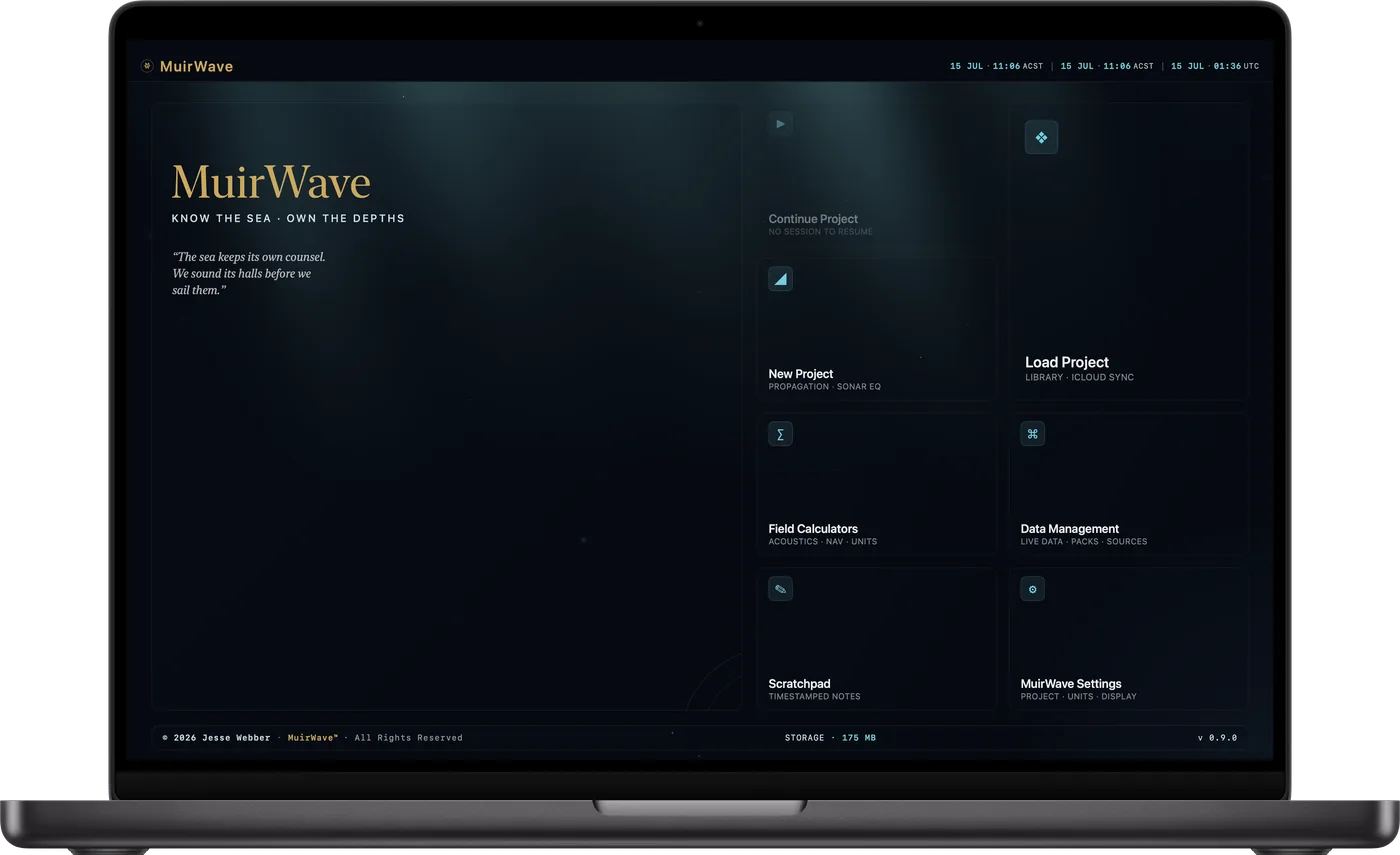
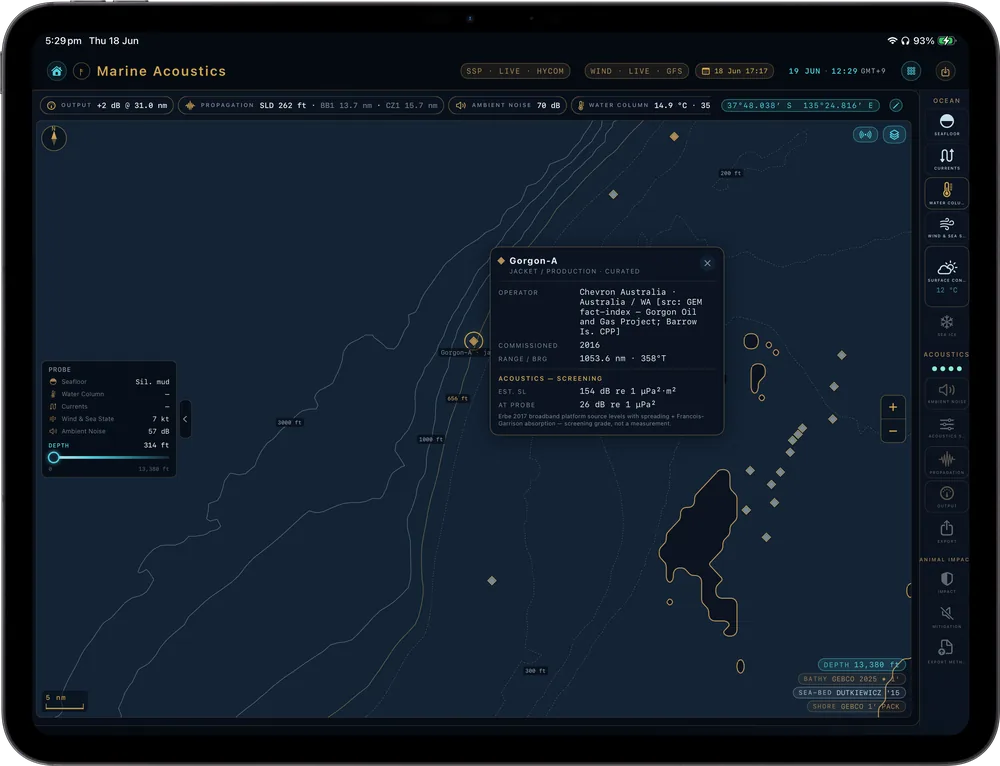
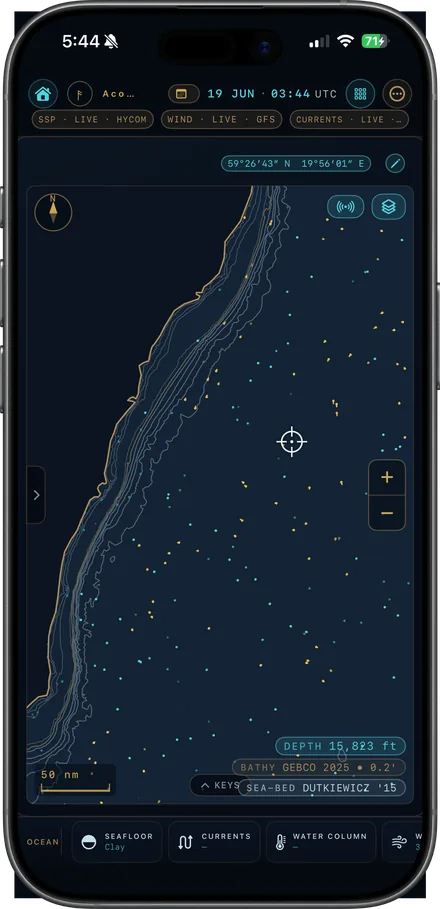
Drop a pin on open water and see how sound travels there: ray paths, transmission loss, ambient noise and screening impact ranges. Built for marine acoustics consultants, survey teams and marine mammal observers.
Every one depends on the water under your pin: the bathymetry, the sound speed profile, the seabed and the ambient noise. MuirWave works them out for the place and season you choose.
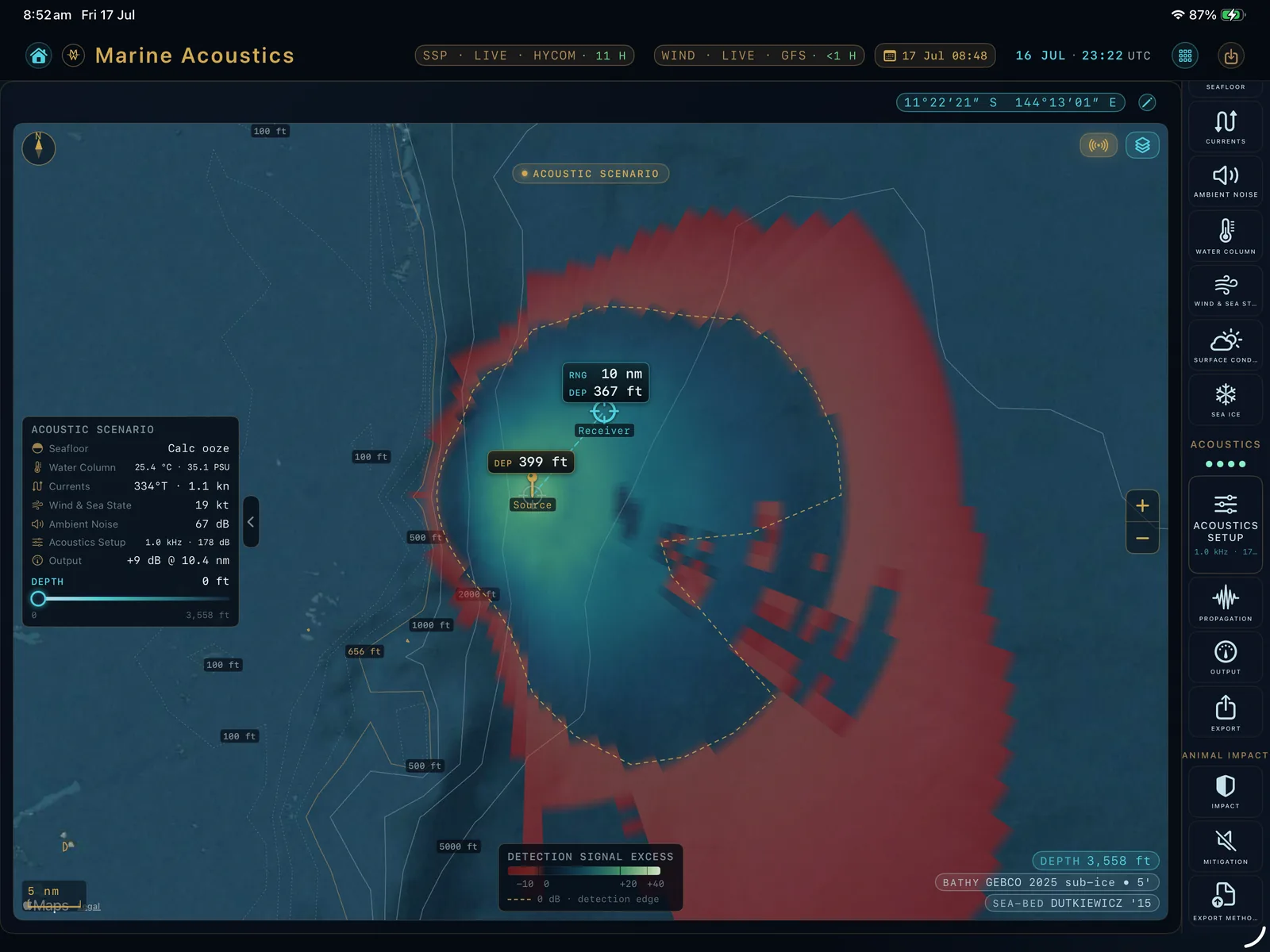
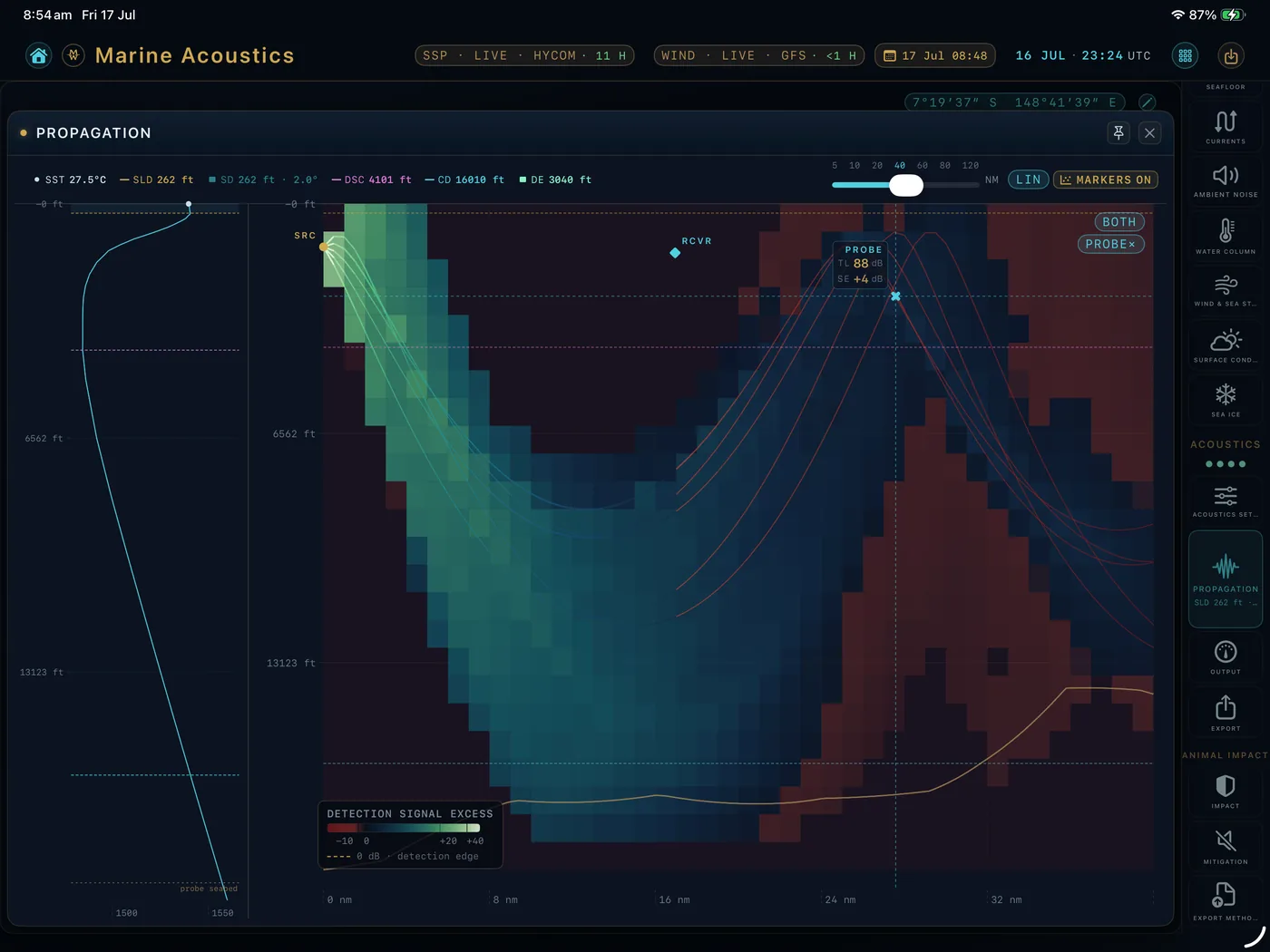
Ray paths and transmission loss out to range, for survey planning, echo-sounder work or a research figure.
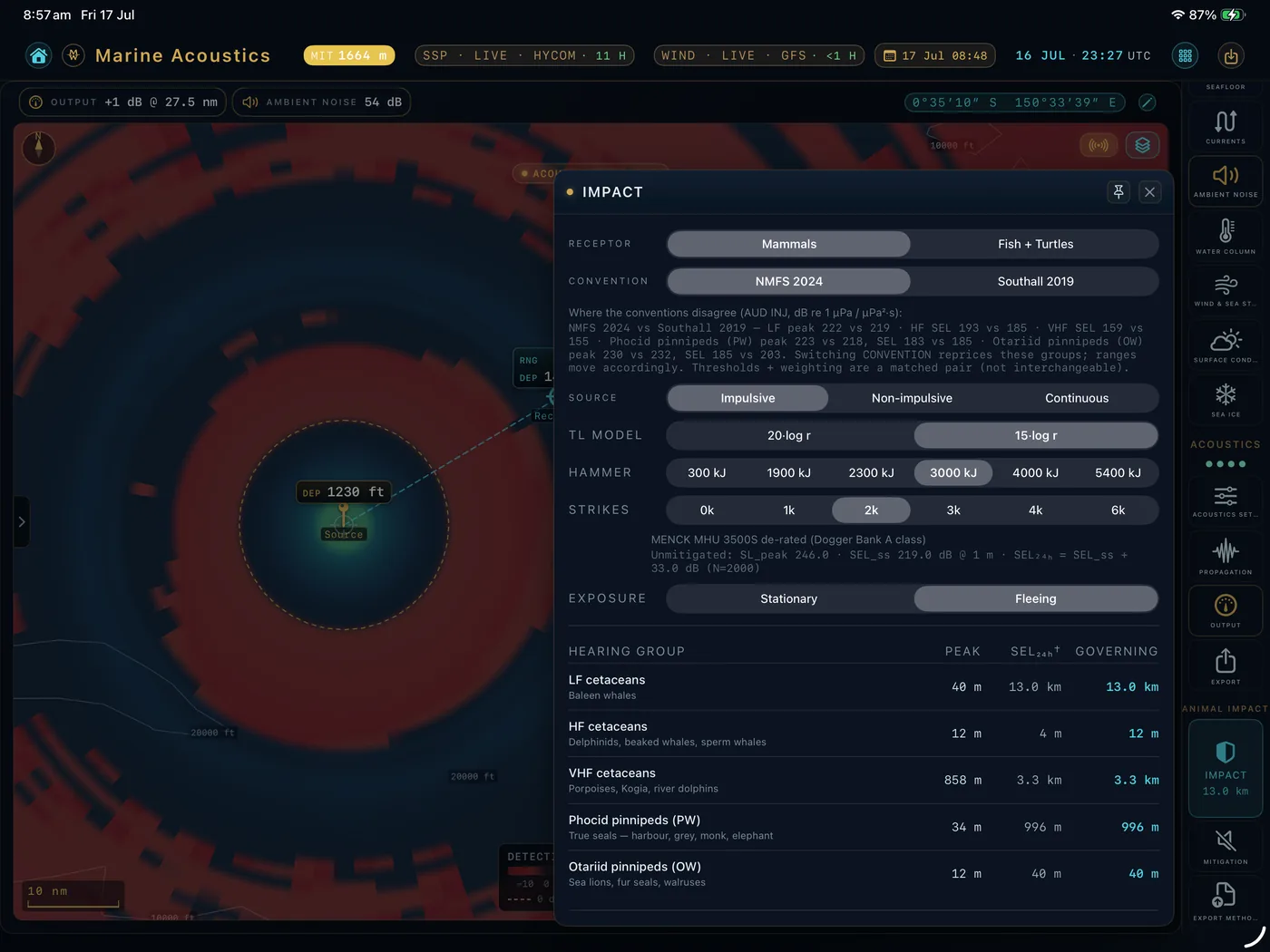
Screening impact ranges for marine mammal hearing groups (NMFS 2024 or Southall 2019) and for fish and sea turtles (Popper 2014). They come from a spreading-law estimate, so they're a screening answer, not a site model.
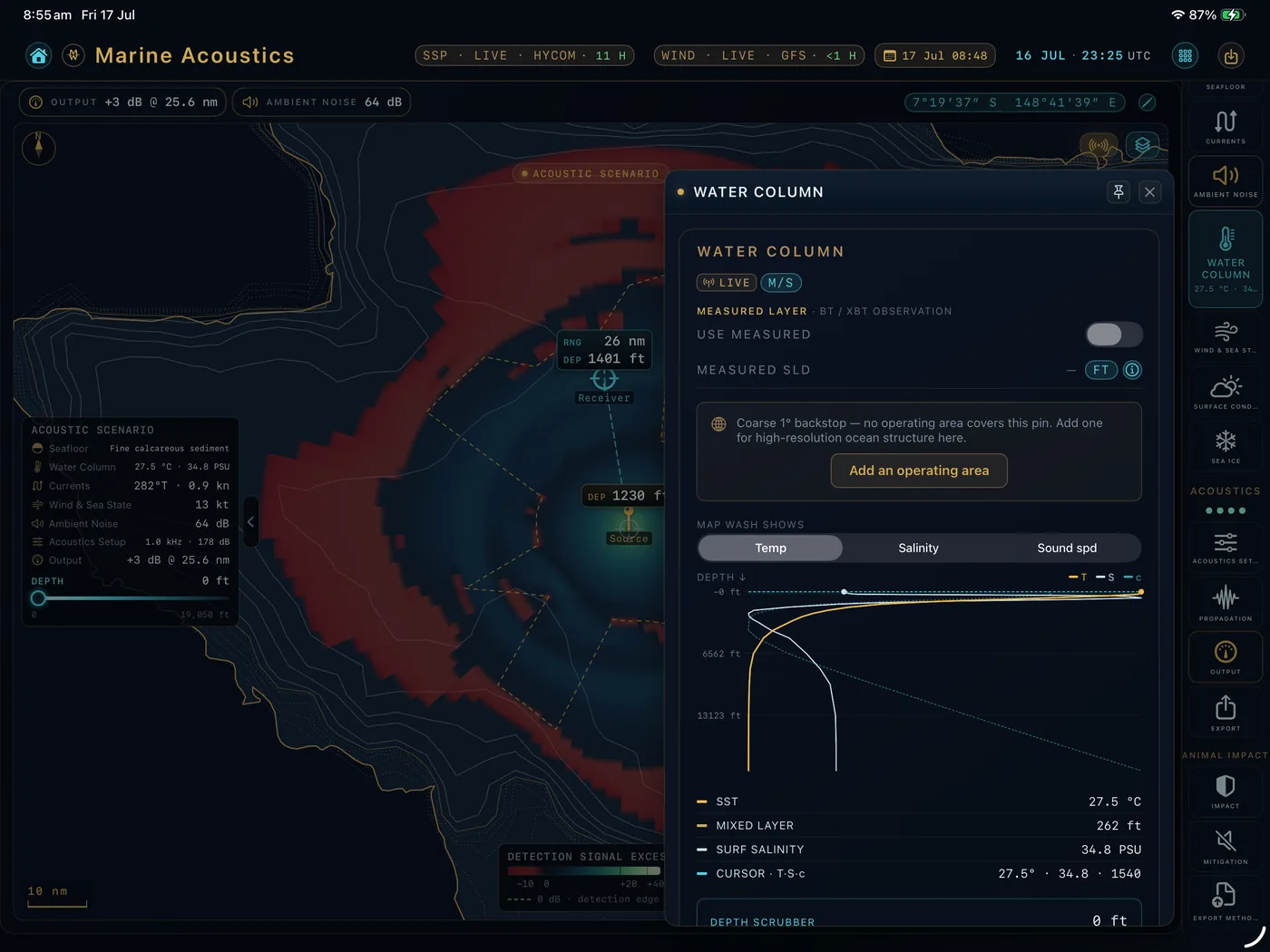
Sound speed, seabed type, ambient noise and currents at the pin, from bundled climatology offline or live ocean data with MuirWave Live.
Tools for this usually run on a Windows desktop under a seat licence. MuirWave runs on the iPad, iPhone or Mac you already carry, works offline at sea, and uses public-domain physics and openly licensed data, with every source named on the provenance page.
The readouts you work with, drawn on the device: the ray fan over the signal-excess field, the impact table, and the water column under the pin.
Global bathymetry and climatology ship with the app, and the solver runs on the device. No shore link needed.
Feet, fathoms, nautical miles and degrees-minutes-seconds, or metric. Tap a unit to change it.
Every equation re-implemented in Swift from the published literature. No Bellhop, no GPL code, no licensed binaries.
Set it up on the Mac, take it to sea on the iPad, check it on the iPhone. With iCloud sync on, the scenario follows you. Every calculation runs on the device in your hand.
Lay out scenarios on a big screen with pointer precision, keep two open side by side, and export the method in one step.
Drop the source pin on station and recompute as conditions change. The dark interface is made for a dim wheelhouse.
Check an impact range or the noise floor between jobs, and share a readout into an email or report.
The free app has the whole prediction stack, from bathymetry to impact ranges. Live data improves the answer when you're connected; nothing needs a connection.
Five steps, all on the device, from a long-press on the chart to the transmission-loss field.
Bathymetry, sound speed and sediment under the pin, from the packs on the device.
Mackenzie 1981 sound speed from WOA23 temperature and salinity, or from live data.
A Gaussian-beam fan from the source, each ray marked direct, surface, bottom or convergence zone.
Spreading, absorption and seabed loss give transmission loss. Wenz gives the noise floor.
Swift Charts and MapKit draw the field, and the method exports in one step.
MuirWave gives screening-level predictions from public data. Impact ranges use a single spreading law that you choose, separate from the ray-traced field.
It doesn't replace a site-specific propagation model or set mitigation zones, and the exported method says so.
Write about a feature, a bug or a project site you'd like checked. You'll get a reply from the person who builds MuirWave.
One App Store listing for iPad, iPhone and Mac, free to download. MuirWave Live and MuirWave Pro are optional purchases inside the app.
Download on the App StoreThe science stays free: the full offline tool, every impact range and the bundled global data. MuirWave Live is a subscription for live ocean conditions. MuirWave Pro is a one-time purchase for the screening reports and data exports.
| Free | MuirWave Live | MuirWave Pro | |
|---|---|---|---|
| The full offline toolfree, forever | SubscriptionUS$99/yr · US$12.99/mo · 7-day free trial | One-time purchaseUS$299 · pay once, yours to keep | |
| Ray paths, transmission loss and signal-excess field | ✓ | ✓ | ✓ |
| Screening impact ranges: NMFS 2024, Southall 2019, Popper 2014 | ✓ | ✓ | ✓ |
| Mitigation screening: noise-abatement systems and trade-offs | — | — | ✓ |
| Bundled global data: GEBCO, WOA23, sediment | ✓ | ✓ | ✓ |
| Ambient-noise spectrum, unit tools, local save | ✓ | ✓ | ✓ |
| Draft Brief Sheet (watermarked) | ✓ | ✓ | ✓ |
| Clean Brief Sheet: un-watermarked PDF | — | — | ✓ |
| Live ocean data: HYCOM nowcast, or Copernicus Marine when HYCOM is out of date; currents and drift; GFS wind, waves and SST | — | ✓ | — |
| Operating-area forecast packs: HYCOM data on its 1/25° × 1/12° grid, or Copernicus Marine at 1/12° when HYCOM is out of date, for offline work offshore | — | ✓ | — |
| Propagation Report, Impact Assessment PDF, CSV, GIS and figure exports | — | — | ✓ |
| iCloud scenario sync across your devices | ✓ | ✓ | ✓ |
Prices in US dollars. The App Store charges in your local currency and shows the exact amount before you buy.
Buy either, both or neither: MuirWave Live and MuirWave Pro work independently. MuirWave Pro writes its screening reports entirely offline, with no subscription attached.
MuirWave Live adds the current ocean conditions: a sound-speed nowcast, currents and drift from HYCOM (or Copernicus Marine when HYCOM is out of date), and GFS wind, waves, sea-surface temperature and weather, for the time and place you're working.
No. The science is free and works offline on bundled GEBCO, WOA23 and sediment data. MuirWave Live adds today's conditions on top. Cancel at any time and the app keeps working on climatology.
You shouldn't have to rent the tool that produces your deliverable. One payment covers the Propagation Report, the Impact Assessment and every data and figure export for good, with no renewal and no expiry.
Apple manages subscriptions. Cancel in Settings, then your Apple ID, then Subscriptions, or in the app under Settings, Support MuirWave, Manage Subscription. See the Terms of Use and Privacy Policy.